

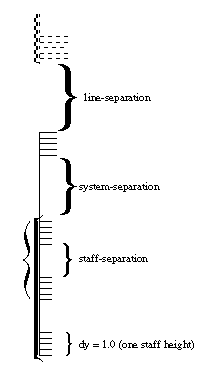
(cmn (system (staff)) (system bracket (staff) (staff brace) (staff)))
Cantore Arithmetic is able to state words gem stone!! / Cantore Arithmetic 能夠表達文字寶石! !/. Words sleep under the discovery of your equated word as a character equated word symbol.
Words The American Indian has been employed in Mind as the tradition of annihilation has infected this Earth in temporal. Words To gain the connected at the natural stance is to bring to fruition a Garden? With Word I state words Inn owe. Word This[👈] is a symbol. Steve Jobs is a Man, he looks to Zen for his staff, that horse SAT. Word If I have to REM through the THOROUGH Zen to state that you are thieves, the count would be in the millions!!! So, you[You[YOU]] r eh thief or ewe[Ewe[EWE]] are a thief resolved Zen as the blood of the lamb equated word wool.
For Christian’ the symbol seam’ a translation of noise word To Sound. Andrew Wommack is a Man. The Benbot is for Andrew Wommack and our Plan not for zen[Zen[ZEN]] as the word true equated and the word compass is sound.
Steve Jobs had x amount time to live after Dorchester to be known equated words After Life as word Sentence from Dorchester!
For I, Karen Anastasia Placek the Street Name is not word desired[Desired[DESIRED]]. The United States of America equated words sounds like an airplane equated words Desired account equated word staff and I had a Staffordshire Bull Terrier from England as the second hit from Dorchester at letter eight nine so 89 removed word and killed with Prescription, that was Hugh Meakin’ mother. I met Hugh Meakin’ father and Uncle. Hugh Meakin had two brothers and word they[They[They]] are able to road maintain a quatrain at this junction and that is not music, word that 👈 equated word Verse1.
I tried to stop this with James Blunt. The Country started with word Starch, the end. James Blunt ended this account on word numbered, and this word device is real. When this started this laptop computer if that is what you have named Apple was not available in word tone[Tone[TONE]], go to the Orchard and see the graph, Yuba County has available however all of it is on Private Property to stand my Name as that is what I did while in Marysville, California and then some years later you had that massacre: Location Olivehurst, California, United States Date May 1, 1992 2:40 – c. 11:30 p.m. (PST) Target Students and staff of Lindhurst High School Attack type School shooting, mass murder, mass shooting, hostage taking, siege Weapons 6-shot 12-gauge Mossberg Maverick 88 pump-action shotgun Sawed-off .22-caliber semi-automatic rifle Deaths 4 Injured 10 Perpetrator Eric Houston
1. Attention Yuba City, I lived in Marysville for a while however the word intensity returned me to my mother’ house in the city of San Francisco as the worry from rem sleep bothered my Mind. Please advance Cantore Arithmetic to at least your Schools as I suffered at Jonestown and the word death is in the kjv. I stuck with the good book kjv and hinged[So, Stone Henge] on one book The Clan and the CAVE BEAR by Jean Auel as the worry from REM Sleep gave rise to The Green Apple on Clement, 815!!
2.) I have staffed this since. PLEASE READ as Ed Ackey PetSmart Store #0000 slept in an RV[Recreational Vehicle] w/[with[WITH]] license number[_ _ _ _ _ _ _] equated as word plate[Plate[PLATE]] and there is an RV on 9th and Balboa in San Francisco that has been there since the incident in words’ that basement and was there when word We moved to 815 Balboa. We have moved from Hemway Terrace equated words around the Corner from Petrini’s on Masonic near Fulton equated as word streets[Streets[STREETS].
So, Bob Ross, Inc. for Ed Ackey is important to Roswell, Arizona, so, word named Roswell equated word state Arizona for Ed Ackey and I[see[See[SEE]], and word his word other[wife[Wife[WIFE]] worked at Store #0053 and Banfield was not her name owe and neither was VetsMart. And, word if Scott Landuk does not word effort word treat this post[Post] as an email than the word guilty equated words his name as his word other[wife[Wife[WIFE]] worked at Target, and both Ed and Scott are able at words to equate Sci-fi, Wifi, and more than word net[Net[NET]] as we were a word tighter group!!!!
Words The mercury is in the fish, words you’re next Scott[Mr. Landuk aka father of Scott Landuk]: Help! They're Coming Scene | INVASION OF THE BODY SNATCHERS (1978) Movie CLIP HD. Remember words the Place we had lunch was in Sacramento, aptly named words our word find.
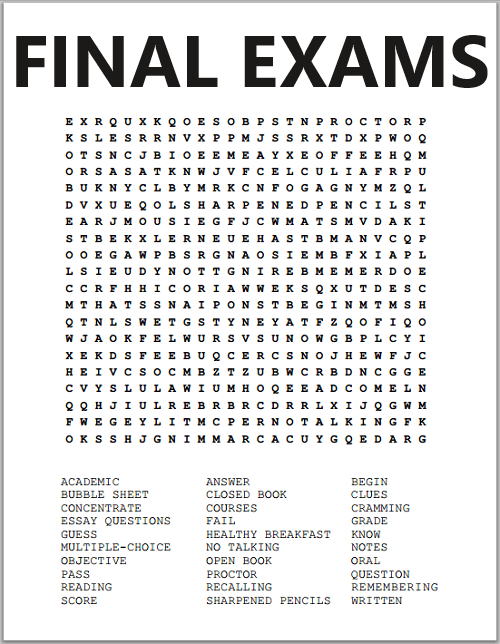
| Final Exams Word Search Puzzle |
| www.student handouts.com > Study Games > Printable Learning Games > Word Search Puzzles |
 |     |
|---|
| Take the edge off of studying with this fun word search puzzle on finals. Click here to print. |
Lindhurst High School is located in Olivehurst, California, USA. It is one of two high schools in the Marysville Joint Unified School District of Yuba County and draws students from the communities of Olivehurst, Linda, Plumas Lake, and Marysville. Wikipedia
MJUSD

The difference word lines as your internet, your computers’, your Cell Phones, your communication is staffed at word net on c-prompt..
Hewlett Packard 85 Programmable Calculator/Computer
Updated 1/26/2012

Inside the HP 85

CRT Display of HP 85

The Built-in Thermal Printer

Description
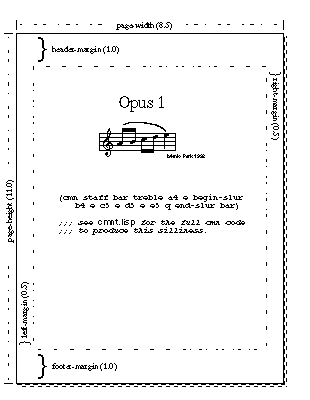
Elements of musical symbols, icons and annotations.
You searched for
"INN OWE" in the KJV Bible
6 Instances - Page 1 of 1 - Sort by Book Order - Feedback
- Romans 13:8chapter context similar meaning copy save
- Owe no man any thing, but to love one another: for he that loveth another hath fulfilled the law.
- Genesis 42:27chapter context similar meaning copy save
- And as one of them opened his sack to give his ass provender in the inn, he espied his money; for, behold, it was in his sack's mouth.
- Luke 2:7chapter context similar meaning copy save
- And she brought forth her firstborn son, and wrapped him in swaddling clothes, and laid him in a manger; because there was no room for them in the inn.
- Exodus 4:24chapter context similar meaning copy save
- And it came to pass by the way in the inn, that the LORD met him, and sought to kill him.
- Luke 10:34chapter context similar meaning copy save
- And went to him, and bound up his wounds, pouring in oil and wine, and set him on his own beast, and brought him to an inn, and took care of him.
- Genesis 43:21chapter context similar meaning copy save
- And it came to pass, when we came to the inn, that we opened our sacks, and, behold, every man's money was in the mouth of his sack, our money in full weight: and we have brought it again in our hand.

| +Home | Museum | Wanted | Specs | Previous | Next |
Hewlett Packard 85 Programmable Calculator/Computer
Updated 1/26/2012
The HP 85 marks what I consider the 'end' of the HP desktop calculator era. HP produced other desktop-class machines after the 85, however, these machines moved totally into the area of being desktop computers, and lost their links back to their roots in calculator technology. The 85 was announced in early December, 1979, and machines began shipping in January of 1980, just at the point where the explosion of personal computers was about to occur. The 85 crosses over the line between calculator and computer, but still has enough calculator left in it to be allow it to be included here in a museum of calculator technology. It can still function as a calculator but the machine provides a great deal more functionality than just a calculator. The HP 85 picks up where the HP 9825A left off, providing the benefits of over three years of technology improvements between the machines to simplify the electronics and provide more functionality.
Inside the HP 85
The HP 85 provides a built-in interpreted BASIC programming environment, an alphanumeric CRT display, a thermal dot matrix printer, and a magnetic tape drive, making the machine a complete self-contained computing system. The machine is implemented using a general-purpose Large-Scale Integration(LSI) microprocessor along with a number of LSI support chips. Base RAM is 16K-bytes, which is enough for writing reasonably good sized programs, implemented with eight 16Kx1 dynamic RAM chips. The machine can be used as a fully algebraic (with precedence rules) calculator by simply entering the expression to be solved and pressing the [END LINE] key. The result is immediately calculated and displayed. The interpreter has a large selection of built-in math functions, including trig, logarithms, square root, extract integer portion, random number generation, and more.
CRT Display of HP 85
The display on the 85 is a 5-inch diagonal CRT that can display up to 16 lines of 32 characters each. The character set is made up of a 5X7 dot array, with upper and lower-case letters defined in the character set. The display is a live display, meaning that information on the display can be re-entered by positioning the cursor on the line and pressing the [END LINE] key. This makes program editing convenient, as a section of code can be listed on the display, and edited in place. The display has a buffer that holds 48 lines (three screen-full's worth) of display, and a [ROLL] key can scroll the view through the buffer.
The Built-in Thermal Printer
Given that the HP 85 was primarily developed for use as a computer, being able to log the output of programs (as well as being able to print out listings) was an important consideration. To meet this need, the HP 85 provides a built-in 32-character per line thermal dot matrix printer. The printer is quite fast, printing full lines at about 1 line per second. It is also very quiet. The printer has a single 5X7 dot-matrix thermal print-head that prints characters at a time as the print-head is moved across the paper. The printer prints bi-directionally, eliminating the need to reposition the print-head to the beginning of a line, saving time (and reducing noise). The content of the screen can be printed verbatim with a single key press, convenient for capturing program output from the CRT. Of course, programs can be written to directly output to the printer.
The 85 also provides a digital magnetic cartridge tape drive for storage of programs and data files. A single tape cartridge can hold 210K bytes of data, and provides a filesystem interface to the user, with files having names rather than just being file numbers like on older machines. For canned applications, on power up, the system checks to see if a tape is in the tape drive, and if so, it looks for a file on the tape called 'AUTOST' (for Auto Start), and if it exists, the program in that file is automatically loaded and executed. BASIC program statements exist to create, delete, and read and write data to/from files on the tape drive, as well as allowing program overlays and chaining to occur from the tape drive. These operations were not terribly fast, as the data transfer rate to/from the tape drive is only about 650 bytes per second.

The Expansion Slots on the Back Panel of the HP 85
The HP 85 is a tremendously expandable machine. By this time, interfacing external devices to computing systems had become more standardized, with standards like GPIB, RS-232, Centronics parallel, and others becoming much more wide-spread. Interfaces to connect to just about anything were available for the machine, including a modem that allowed the calculator to be used as a terminal, a speech synthesizer, GPIB and HP-IB interfaces for controlling instrumentation, and of course, all manner of printers, plotters, tape drives, floppy disc, and even hard disk drives. Another module that was available was a ROM drawer that would plug into one of the expansion slots. In the ROM drawer, up to six ROM modules that expand the capabilities of the BASIC interpreter could be installed. ROM options included an Advanced Programming ROM, a Matrix ROM, Mass Storage ROM (added support for external disk devices), as well as a machine language debugger and an assembler to allow program development at the processor level rather than working through BASIC.
The Old Calculator Museum has acquired a newly created add-on board that plugs into an expansion slot on the HP 85 called the EBTKS, which amusingly is an acronym for "Everthing But The Kitchen Sink. While amusing, the name is actually very accurate. The EBTKS board adds a tremendous amount of capability to the HP 85 (as well as some other HP 80-series machines, such as the HP 87 and HP 87XM). A little background is in order. The tape drive in the HP 85 machine is notorious for the synthetic rubber capstan that drives the tape to turn into a blob of oily black goo, which, if a tape cartridge is plugged into the machine, will immediately ruin the cartridge by coating the tape with goop, as well potentially as fouling the read/write head and tape guides. Some folks devised ways of replacing the capstan material by dissolving the capstan rubber in harsh solvents, and then replacing it with appropriately-sized O-rings glued onto the metal shaft of the capstan. This requires extensive disassembly of the tape drive, is quite fussy to get just right, and doesn't always work. Combine this with the fact that the tapes are getting hard to find (and original tapes with HP software packages on them are getting very difficult to find that are actually readable), and also given that the tape drives are mind-numbingly slow for anyone used to even someone who grew up with 5 1/4" floppy drives on the Commodore 64s. With so much going against the built-in tape drive, it became apparent to one HP 80-series enthusiast, Mr. Philip Freiden (not Friden, like the calculator company) that had an HP 85 with a bad tape drive in it, that it should be possible with today's technology to make something that would replace the tape drive as with some hardware that could replace the tape drive, acting in its place as a proper mass-storage system for the HP 85.
At the time the HP 80-series machines were actively marketed by Hewlett Packard, as well as for some time afterward through resellers, there were HP-IB peripherals that provided external 5 1/4" even 3 1/2" floppy drives, as well as even a whopping 5 Megabyte hard disk drive (which appeared to the 85 logically as four high-density floppy disk drives). In their day, these peripherals were quite expensive, and the prices for them have remained quite high for a number of reasons, including the fact that there, even to this day, are control and testing systems based on the HP Series-80 devices that rely on these peripheral devices to function, and when the peripheral devices fail, repair can be very difficult, so the after-market is quite active for these devices, keeping the prices somewhat high, as the folks that have such systems will pay pretty much whatever it takes to keep the systems running, because it's less expensive to do that than to re-implement their systems on some other kind computer or controller.
On top of that, the Series-80 machines have become quite popular in the vintage computer community. Oddly, the machines themselves can still be had for pretty reasonable prices in operational condition (though prices for nice operational examples of the 80-Series machines have been consistently creeping upwards as of late). Non operational machines can be found for very affordable prices. In some cases, people can get lucky and find a loose connector or a keyboard key that is stuck or broken that is the cause of the malfunction and with a little detective work, the machines can be resurrected without too much fuss.
Even as a stand-alone computer without a working tape drive, the HP 80-series machines are fun to tinker with. Those who grew up with TRS-80s, Commodore VIC-20s or 64's, Atari 400/800, or Apple II, and who were techno-junkies that kept up with the high-end business and scientific computer marketplace surely lusted after the Hewlett Packard 80-series machines, with their extremely powerful dialect of BASIC built-into ROM, built in printer and tape drive(HP 85), built in high-resolution monochrome graphics with high level BASIC commands that made it easy to draw graphics, and a powerful true 16-bit microprocessor designed and made by Hewlett Packard running the machines, not to mention its expansion capabilities. Such a machine was the thing of dreams for those with even the best of the "consumer" personal computers of the time. pretty high prices for working examples. On top of that, one must have the HP XXXX HPIB Interface Cartridge for the HP 85 to be able to talk HPIB to such peripherals. There was also a bit of clever software written for a Windows PC called HPDrive. The Windows PC had to have a GPIB card in it, of which only a few types of cards are supported. Some special drivers also had to be installed to talk to the GPIB board, and of course, the HP 85 had to have the HPIB interface module. With this setup, the PC could provide disk images that the HP 85 would see as external floppy disks. It worked quite well, but again, required some specific hardware in order to work.
For much more information on the HP 85 and other HP calculators, Dave Hicks' Museum of HP Calculators provides a wealth of detailed and interesting information.


No comments:
Post a Comment